Best Alternatives to DreamEvent.ai for Event Planners
· Editorial Team · 13 min read

Table of Contents
- Why Planners Are Searching for dreamevent.ai Alternatives
- Top AI Tools for Event Planning: A Quick Comparison
- PaintPrompt: Best for Paint and Sip Class Preparation
- Eventbrite: Best for Ticketing and Public Workshops
- Canva and Gamma: AI Design and Pitch Deck Tools
- ChatGPT and Perplexity: Flexible AI Assistants for Planning
- AI Art Class Lesson Plan Generator: What to Expect
- Conclusion
- Frequently Asked Questions
Last Updated: September 17, 2026
Why Planners Are Searching for dreamevent.ai Alternatives
Planners searching for the best alternatives to dreamevent.ai share one complaint: event platforms handle logistics but don't help you teach beginners to finish a painting.
DreamEvent.ai covers broad event planning, from schedules to vendor coordination, but was never built for a paint and sip class. If you run a studio, teach workshops, or organize a team-building paint night, you need a tool that produces a finished design, a color list, and step-by-step instructions.
At PaintPrompt, we built for exactly that problem. This guide compares the best alternatives to dreamevent.ai for planners who care about the creative side, breaking down what each tool does well and which fits your use case.
Top AI Tools for Event Planning: A Quick Comparison
The best alternatives to dreamevent.ai split into four categories: class preparation tools, ticketing platforms, design and presentation tools, and general AI assistants. Most planners combine two or three, since no single platform covers ticket sales, marketing assets, and class-ready creative content.
Here's how the main options stack up:
| Tool | Starting Price | Best For | Free Tier | Workflow Integration | Post-Event Analytics |
|---|---|---|---|---|---|
| PaintPrompt | Free trial | Paint and sip class prep | Yes | Export to PDF/print; shareable design links | |
| Eventbrite | Free for free events | Ticketing and promotion | Yes | Native integrations with Mailchimp, HubSpot, Salesforce, Zoom | Registration, attendance, and refund reporting |
| Canva | $12/month | Flyers and marketing assets | Yes | Brand kits, team folders, social scheduling | Basic design performance tracking |
| Gamma | $9/month | Client pitch decks | Yes | Embed and share links; analytics on viewer engagement | Deck view and completion analytics |
| ChatGPT Plus | $20/month | Flexible planning tasks | Yes | Custom GPTs, API access, Zapier connections | None built in |
| Perplexity | $20/month | Vendor research | Yes | Browser extension, shareable threads | None built in |
How to read this table. Ticketing tools sell seats. Design tools make flyers and decks. General assistants handle research and drafting. Only a dedicated lesson generator produces the actual painting your guests will attempt, the finished design, the color list, and the step-by-step guide.
Match the tool to the job. A studio running three classes a week needs class prep more than another ticketing dashboard. A corporate planner running one paint night a quarter may only need a lesson generator plus a booking link. An agency managing a dozen client events a year needs the integration layer, CRM sync, shared calendars, post-event reporting, more than any creative feature.
What to look for in event software. The features that separate a workable stack from a frustrating one are consistent:
- Ease of use. If a solo instructor can't produce a flyer or lesson plan in under an hour on first use, the tool won't survive a busy season.
- Integration. Check whether the tool connects to the CRM, email platform, or project app you already use. Eventbrite syncs with Mailchimp, HubSpot, Salesforce, and Zoom. Tools that don't integrate force manual data entry, where most planning time disappears.
- Scalability. A free tier that works for one class a month may break at twenty. Look at seat limits, event caps, and whether pricing scales per event or per user.
- Automated timeline and budget generation. General AI assistants handle this well; specialized tools often don't. If budget tracking matters, pair a lesson generator with a spreadsheet or project tool.
- Vendor management. Few AI tools handle this natively. Most planners keep vendor contacts in a CRM or shared doc and use AI only for drafting outreach.
- Free versus paid tiers. Free tiers are fine for testing. Paid tiers unlock the integrations, analytics, and export options that matter once you're running events regularly.
A note on data privacy and security. None of the mainstream AI event tools publish detailed guidance on how client event data, guest lists, vendor contracts, attendee contacts, is stored or used for model training. If you handle corporate clients or collect attendee data, check each vendor's data processing terms before uploading anything sensitive. Keep personally identifiable attendee data in your CRM or ticketing platform and use AI tools only for creative and drafting work.
A note on post-event analytics and ROI tracking. Most AI event tools stop at the event date. Eventbrite reports registration, attendance, and refunds; Gamma reports deck views; To prove ROI, combine a ticketing report with a post-event survey and a cost-per-attendee calculation.
PaintPrompt: Best for Paint and Sip Class Preparation
PaintPrompt is the strongest option for anyone whose event involves teaching people to paint. Describe your idea and get a class-ready design with a 10-step guide, a color list, and a printable teaching plan.

- Instantly generated class-ready designs for any theme you describe
- 10-step instructions that walk guests through blocking, layering, and finishing
- A color list and printable teaching guide you can hand to every guest
- Beginner-friendly compositions designed so people finish something they like
- Unlimited ideas on demand, so you never repeat the same painting twice
Eventbrite: Best for Ticketing and Public Workshops
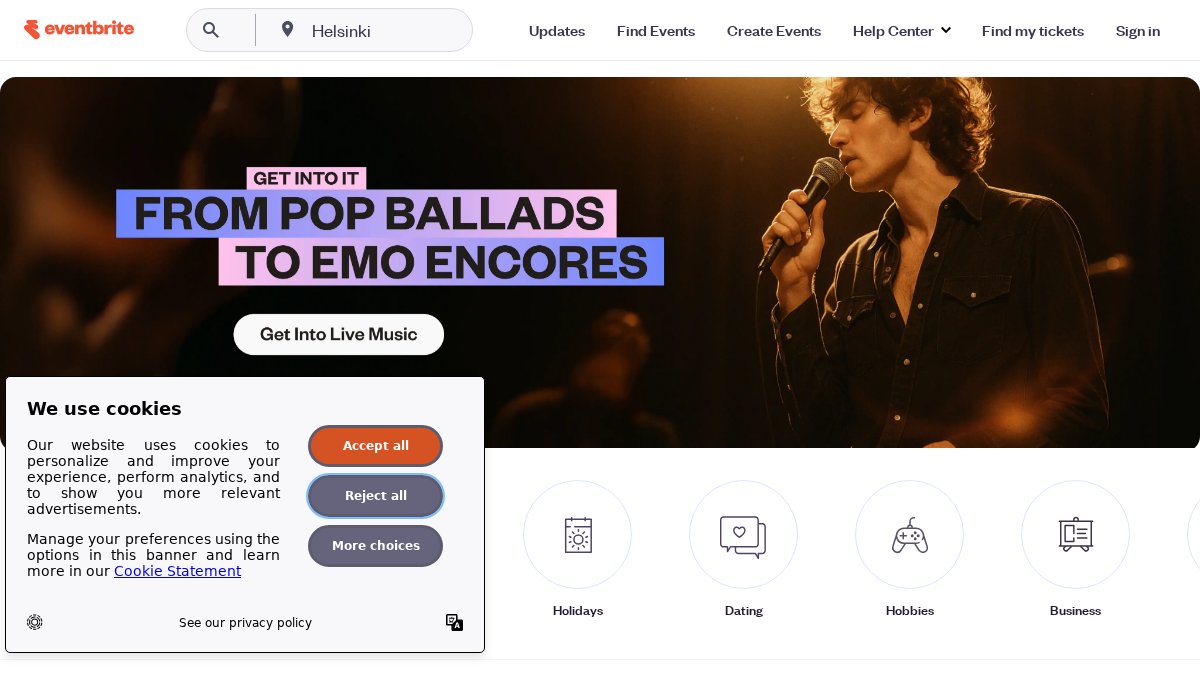
Eventbrite solves a different problem: getting people in the door. It's a ticketing and event discovery platform with a built-in audience already browsing for things to do.
Pros:
- Large built-in audience for event discovery
- Solid mobile check-in experience
Cons:
- High per-ticket fees
- No creative or curriculum support
Canva and Gamma: AI Design and Pitch Deck Tools
Canva and Gamma handle the visual and presentation layer of event planning, and both do it well. Neither prepares a class, but most planners need one anyway.
ChatGPT and Perplexity: Flexible AI Assistants for Planning
General AI assistants are the wildcard here: they do a bit of everything, which is both their strength and their weakness.
AI Art Class Lesson Plan Generator: What to Expect
An AI art class lesson plan generator produces a complete teaching document from a short description: a structured plan with a finished design, ordered steps, a materials list, and beginner-friendly guidance. The reality depends on how it was built and trained.
What a useful generator should deliver every time:
- A finished reference image guests can see before they start
- Numbered steps, ideally 10 or more, in plain language
- A full color list with mixing notes
- A printable guide sized for handing out at the table
- A composition simple enough for a first-timer to complete
- Enough variety that you can plan a month of classes without repeats
- Does the reference image match the steps? If the guide says "paint the sky first" but the image shows a finished sky with no visible layering, the steps won't help anyone.
- Could a complete beginner follow it? Hand the printed guide to someone who has never held a brush and ask them to describe what they'd do first. If they hesitate, the guide is too abstract.
- Is the color list complete? Count the colors. A beginner painting typically needs five to eight. Fewer than five and the result looks flat; more than ten and guests spend the class mixing instead of painting.
- Can you plan a month without repeats? Generate ten designs in a row. If they start to look the same, the tool won't sustain a studio schedule.
Conclusion
The real challenge isn't finding an AI tool, but one that handles the work you actually do, selling tickets, designing flyers, or preparing a class twenty beginners can finish. Most planners stitch three or four tools together to cover it all.
Frequently Asked Questions
What are the best AI tools for planning creative workshops?
The best AI tools for planning creative workshops depend on your needs. PaintPrompt generates complete paint and sip class designs with 10-step guides and color lists. Canva creates marketing materials and flyers. Gamma builds client pitch decks. ChatGPT helps draft timelines and budgets. For paint and sip specifically, PaintPrompt is built by real hosts and ensures guests can finish their paintings, which general tools do not guarantee.
How does PaintPrompt compare to general AI event planners?
General AI event planners like DreamEvent.ai focus on logistics, vendor coordination, and timelines. PaintPrompt is specialized for paint and sip class preparation. It generates a class-ready design, a 10-step instruction guide, a color list, and a printable teaching plan in seconds. If you run paint and sip events, PaintPrompt solves the specific problem of class prep. General planners do not create painting designs or step-by-step guides for guests.
Is there an AI tool that generates step-by-step painting class guides?
Yes, PaintPrompt generates step-by-step painting class guides. You describe your idea, and it produces a complete design with a 10-step guide, a color list, and a printable teaching plan. The compositions are beginner-friendly, so guests can follow along and finish their paintings. Instructors have used it to plan themed nights and print guides for every guest, ensuring everyone goes home with a painting they love.
What features should I look for in an AI event planning platform?
Look for features that match your workflow. For paint and sip studios, prioritize tools that generate class-ready designs, step-by-step instructions, and printable guides. For general event planning, check for timeline generation, budget tracking, vendor coordination, and integration with ticketing platforms. Also consider ease of use, pricing model, and whether the tool offers a free trial. PaintPrompt offers a free trial so you can test it before committing.